ProSharpener is a Photoshop plugin designed to solve a common problem faced by photographers: maintaining image sharpness when resizing photos for web and social media platforms. While photographers invest in high-quality cameras and lenses to capture sharp, high-resolution images, these photos lose their sharpness when resized for platforms like Instagram (which reduces images to just 1 megapixel). ProSharpener addresses this by applying optimal sharpening algorithms specifically tuned for post-resize workflows.
The plugin provides a comprehensive toolkit for export-ready image optimization, combining intelligent sharpening with platform-specific presets and advanced features like edge masking and color space conversion.
ProSharpener was built as a native Photoshop plugin, requiring deep integration with Adobe’s extensibility architecture and careful algorithm design for professional photography workflows. Key technical components included:

The plugin provides several advanced features that set it apart from basic sharpening tools:
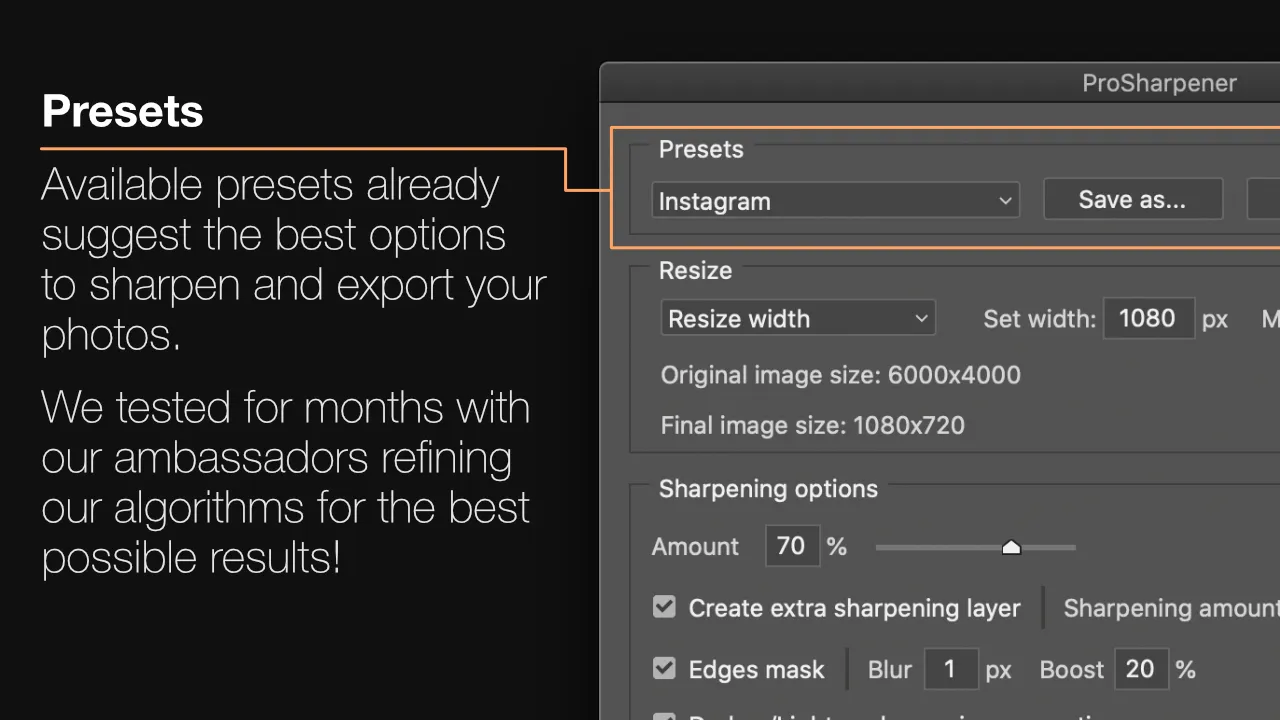
Intelligent Sharpening: The core sharpening algorithm works by creating micro-contrast at edges through separate darkening and lightening operations. Users can control the sharpening amount (0-100%) and optionally create an additional sharpening layer for selective application to specific image areas.
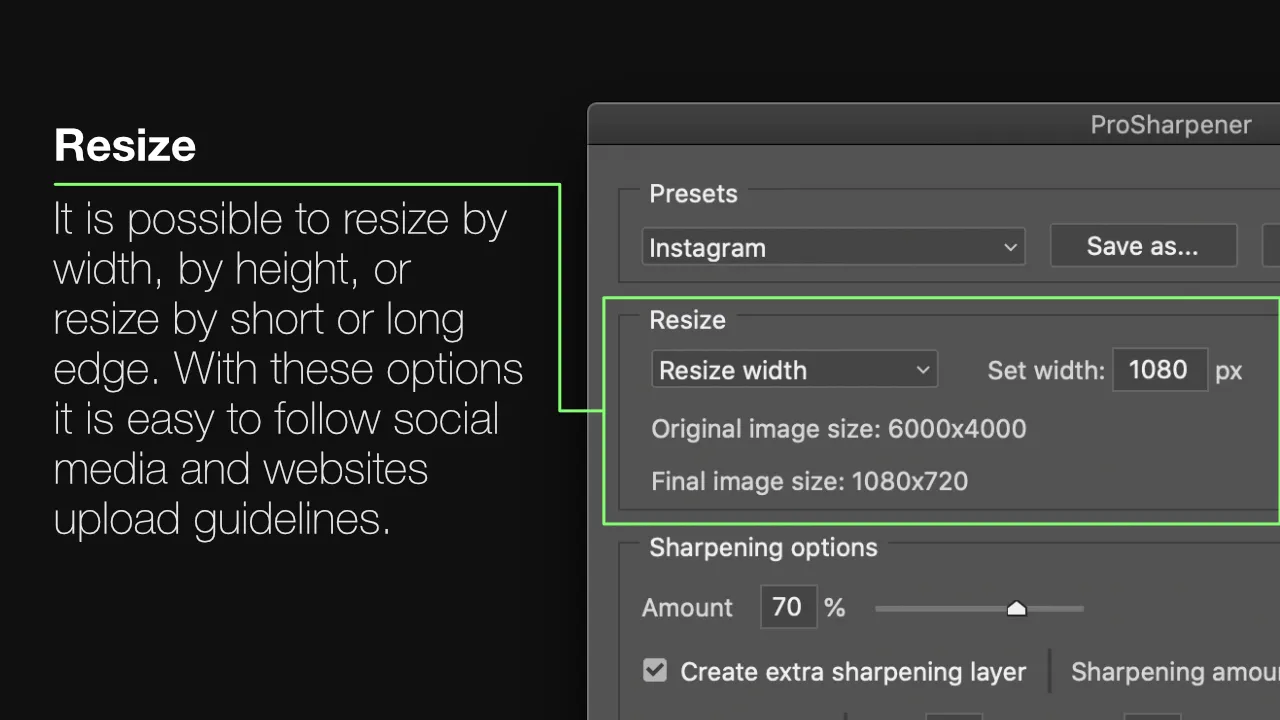
Sharpening Separation: The plugin can separate sharpening effects into distinct darkening and lightening layers, giving photographers granular control over the final appearance and allowing for creative applications beyond standard sharpening.

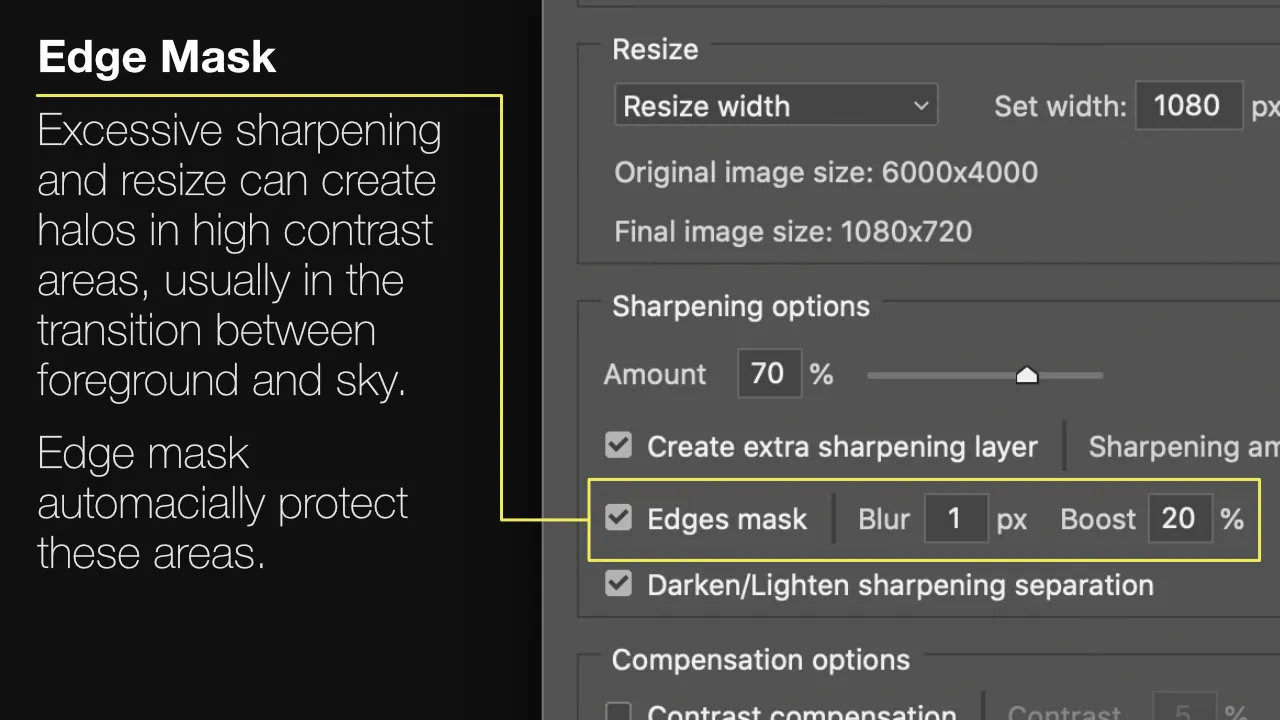
Edge Masking: To prevent unwanted halos in high-contrast areas (such as where a subject meets a bright sky), ProSharpener includes an edge mask feature with adjustable blur and boost parameters. This automatically protects problematic areas while maintaining sharpness where it matters.
Platform-Optimized Presets: Built-in presets encode the optimal sharpening and resize settings for popular platforms, developed through months of testing with professional photographers. This eliminates guesswork and ensures consistent, high-quality results.
Quality Compensation: Aggressive sharpening and resizing can cause minor saturation and contrast shifts. The plugin includes optional compensation controls to restore the original tonal balance of the image.
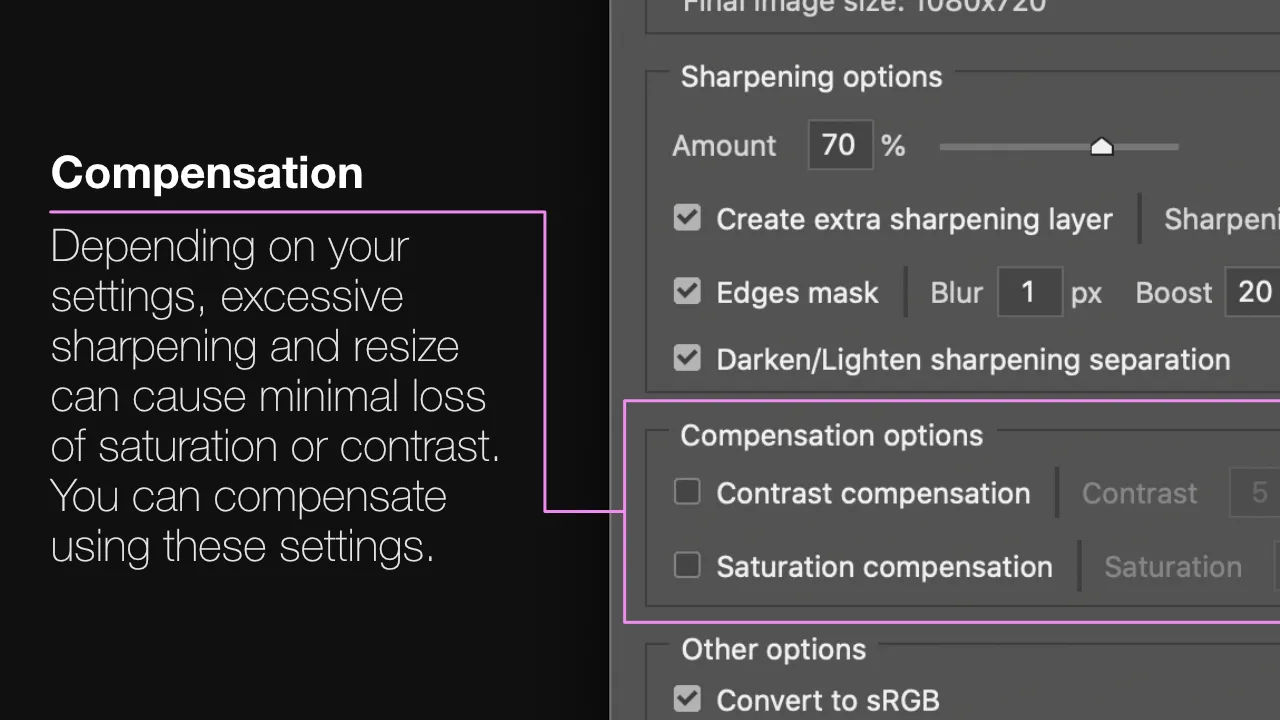
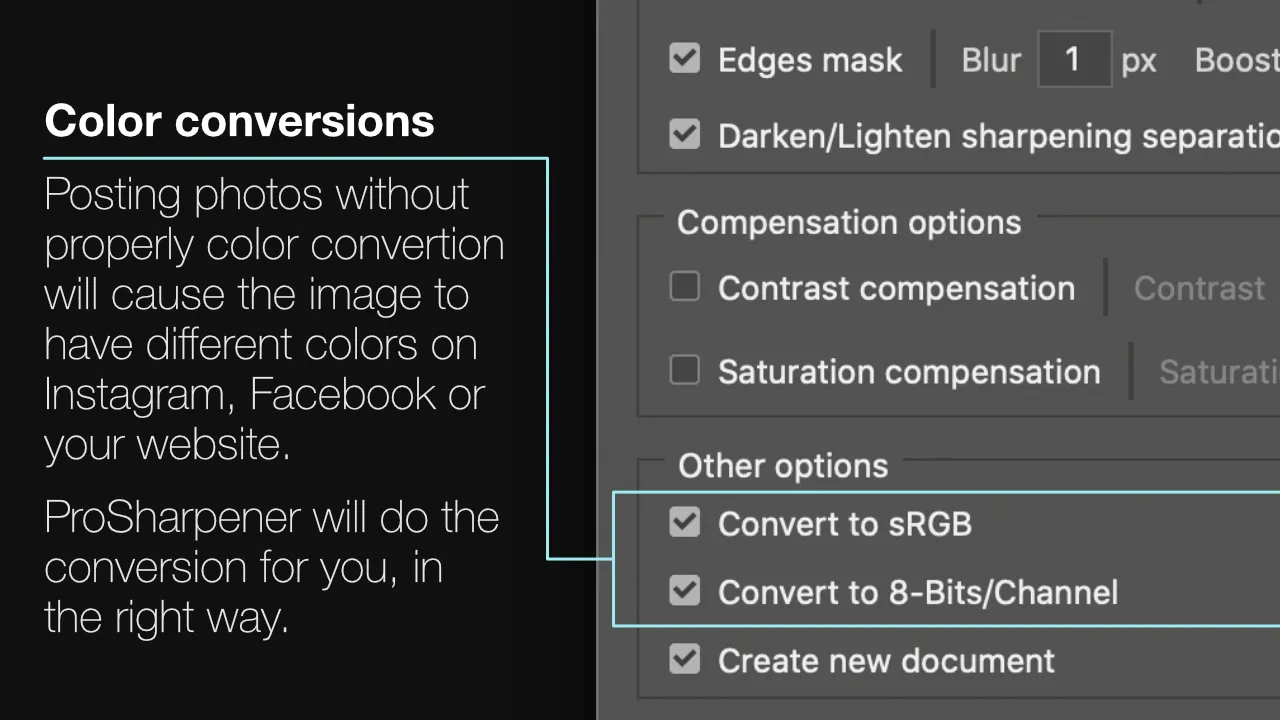
Automated Color Conversion: Social media platforms expect specific color profiles (typically sRGB, 8-bit). ProSharpener automatically handles these conversions to prevent color shifts when images are displayed online.